Video Translator
experimentA local pipeline that dubs a video into another language in each speaker's own cloned voice: transcribe, translate, clone, fit the result to the original timing, and remux, all from one command.
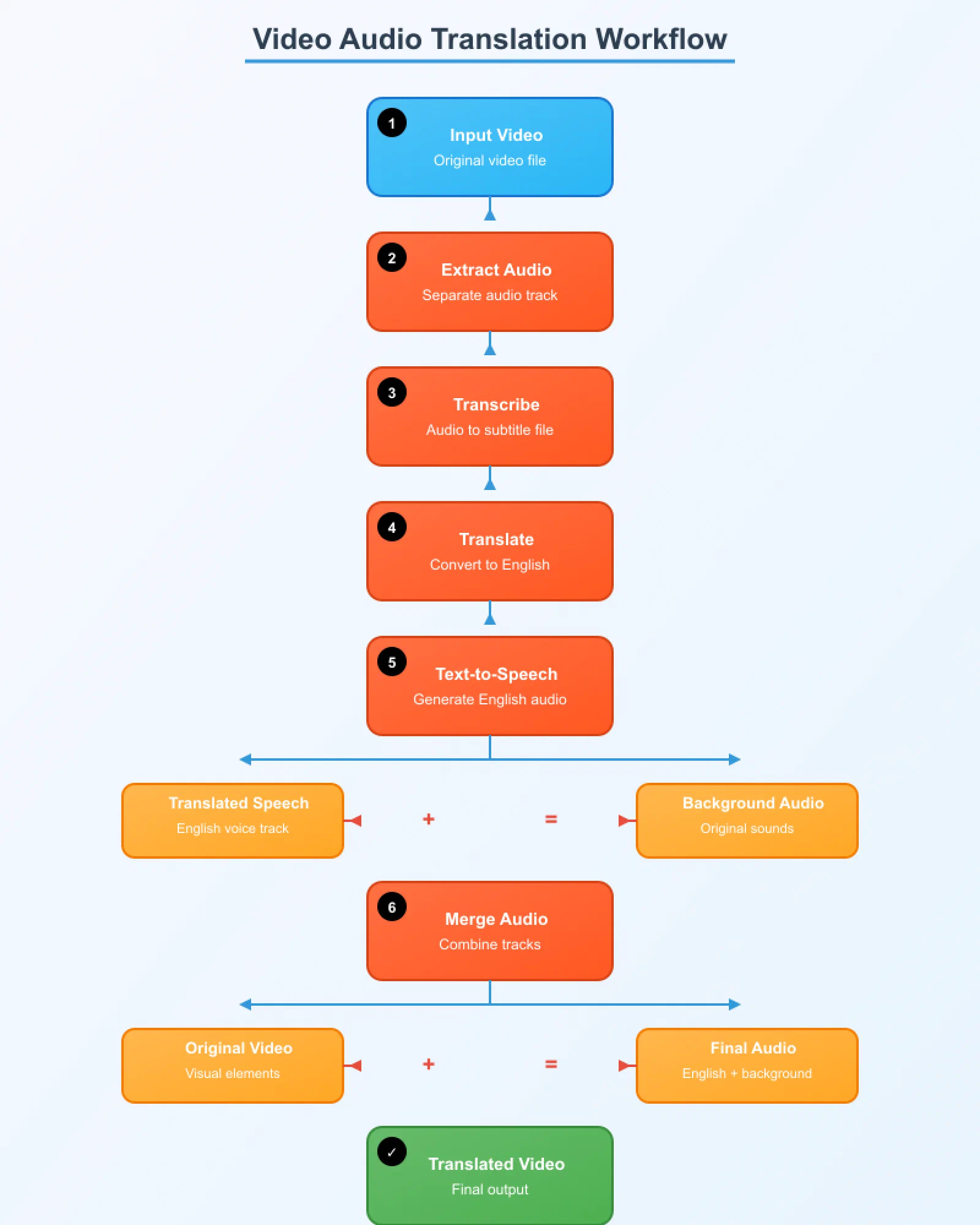
I wanted to watch foreign-language videos dubbed into English without losing the original speakers’ voices to a generic narrator. Video Translator is a local pipeline that does the whole job from one command: separate the vocals, transcribe them, work out who’s speaking when, translate each line, re-speak it in that speaker’s own cloned voice, fit the result into the original timing, and mux it back into the video alongside the original audio and subtitles as extra tracks.
It started as a quick script stitched together from Whisper, Bark and basic translation APIs. It’s grown since into a proper staged pipeline with its own CLI, a config system, and a test suite, but it’s still a personal tool built for my own use, so I keep calling it a proof of concept rather than something production-grade.
Ten stages, each one resumable
The pipeline runs as ten stages — extract, separate, transcribe, diarize, segment, pick voice references, translate, synthesize speech, fit the timing, mix, and mux — and every finished stage is recorded for that video. Re-running the same command skips whatever already finished, so an interrupted run picks up where it left off, and changing one setting only reruns the stages that setting actually affects (tweaking a mixing level, for instance, reruns just the final mix and mux, not transcription or translation).
Runs are also repeatable: the same video and settings produce the same vocal separation, transcript, segments, and voice clips, because the random seeds that control them are fixed rather than left to chance. The one exception is the LLM-based translator, which can phrase a line slightly differently between runs.
Keeping names spelled the same way every time
Names and recurring terms are the easiest thing for a transcription model to mangle, especially across languages. I added a glossary file — just a JSON map of a name to how it should read in the target language — and feed its source-language terms to Whisper as a prompt before it even transcribes. That alone fixes most of the misspellings, and the same glossary later keeps every translator consistent about how it renders those names.
Making the dub actually fit the video
Translated speech rarely takes the same amount of time to say as the original line, and a dub that drifts out of sync with the video is worse than no dub at all. Each generated clip goes through a fitting stage that trims silence, time-stretches the audio without changing its pitch, and — only with the LLM translator, which can actually reword a sentence — asks for a shorter phrasing when a line is simply too long to fit its slot no matter how much it’s stretched.
Catching it when the cloned voice gets a line wrong
Voice cloning models occasionally mumble, skip a word, or say something close but not quite right — look worse in a dub than a slightly awkward translation would. So every generated clip is transcribed again and checked against the line it was supposed to say. A clip that’s close enough is accepted; one that’s too far off is regenerated with a different random seed, and if it still fails, the line is rephrased once in simpler words and tried again. If nothing works, a short line falls back to the original speaker’s own voice rather than going silent, and a longer one is dropped rather than played wrong — a judgment call I’d rather make explicitly than let a bad clip slip through unnoticed.
Free to use, with a catch
The pipeline’s own code is MIT-licensed, but two of the models it relies on for the best quality — the voice-cloning model and the open local translator — ship under a non-commercial license. Dubs made with the default setup are fine for personal use, but not for anything commercial, unless those stages are swapped for differently-licensed alternatives.
The repo README has the full setup and usage instructions.